Opening the Candidates Page
Click Candidates in the navigation or go to https://connect.gulshansync.com/candidates.
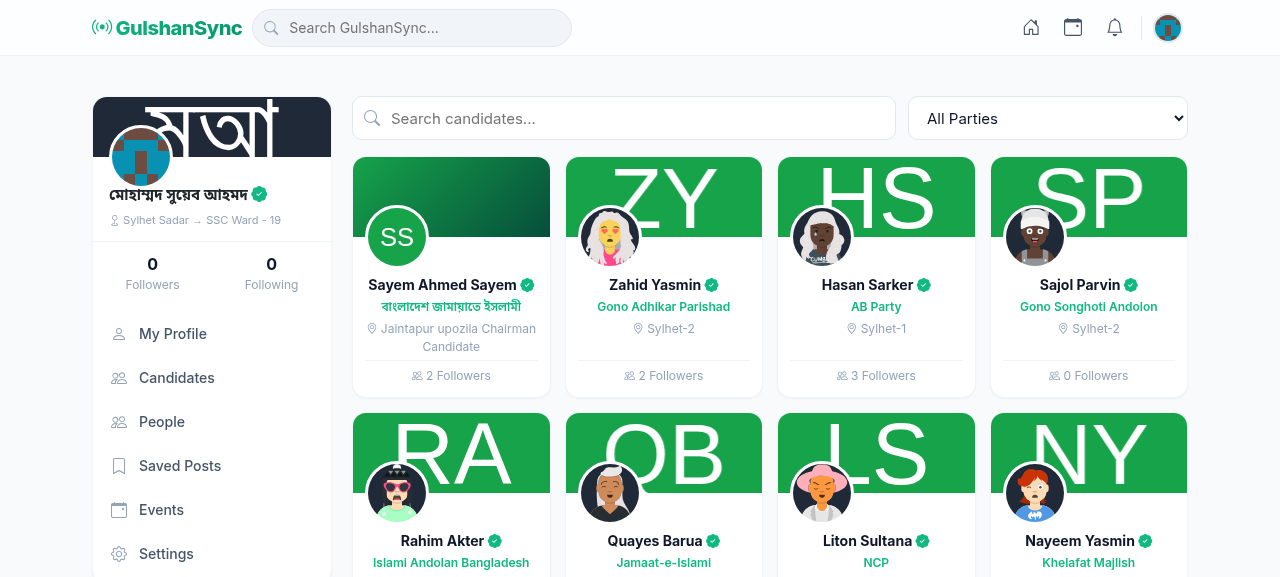
Candidate Cards
Each candidate appears as a card showing:
- Candidate's photo and name
- Verified blue checkmark (if verified)
- Party affiliation
- Constituency
- Brief bio
- Follow button
Candidate Detail Page
Click any candidate's name to see their full profile:
- Bio — detailed biography, education, career
- Agenda — the candidate's platform and priorities
- Upcoming Events — events the candidate is hosting or attending
- Recent Posts — latest posts from the candidate
- Contact — office address, phone, email
- Social Media — links to Facebook, Twitter, Instagram
Following a Candidate
- Go to the Candidates page.
- Find the candidate you want to follow.
- Click Follow on their card.
- Or click their name to view their profile, then click Follow.
- Their posts and events will now appear in your feed.
Verification
Verified candidates have a blue checkmark. This means the platform administrator has confirmed the account belongs to the real candidate. Do not trust candidate accounts without the verification badge.