Opening the Post Composer
Click Create Post in the navigation, or click the What's on your mind? box at the top of the feed.
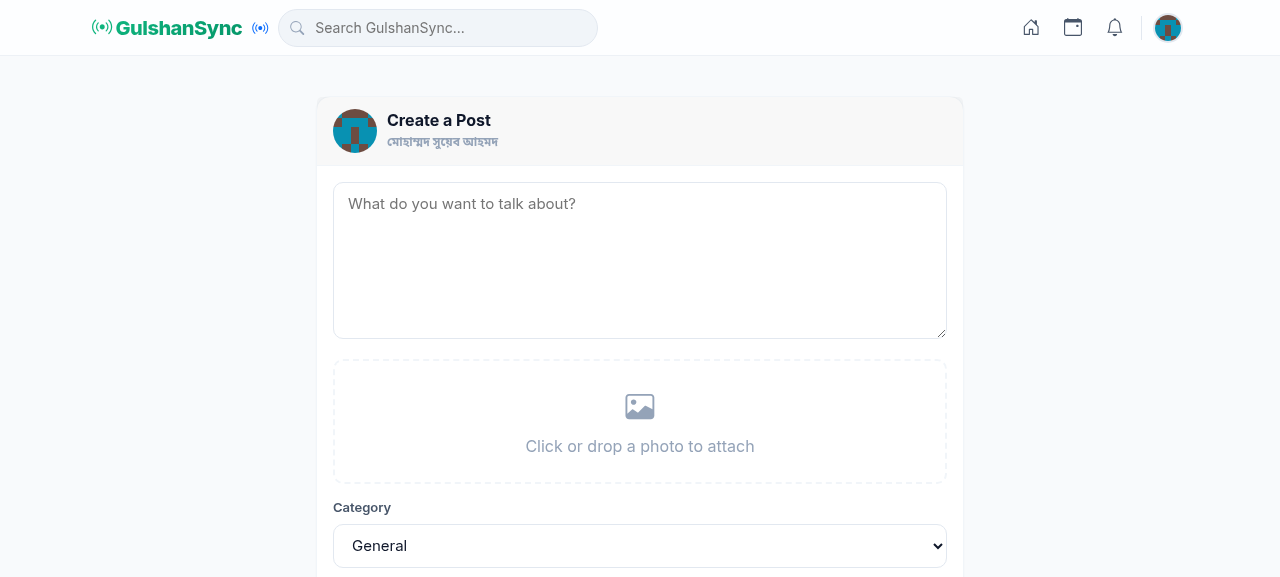
Post Composer Fields
| Field | Description |
|---|---|
| Text | Your post content — up to 2,000 characters |
| Image | Optional image upload (JPG, PNG, max 5 MB) |
| Link | Optional link to an external article |
| Visibility | Public (default) / Followers only |
Creating a Post — Step by Step
- Open the post composer from the feed or navigation.
- Type your post text in the main box.
- Optionally click the image icon to upload a photo.
- Optionally paste a link — it will be previewed automatically.
- Choose visibility (Public or Followers only).
- Click Post.
- Your post appears in the feed immediately.
Editing and Deleting Posts
After posting, you can edit or delete your own posts:
- Click the three-dot menu on your post.
- Select Edit to modify the text.
- Select Delete to remove the post permanently.
Think before you post
Posts on Connect are public and may be seen by thousands of people. Do not post false information, hate speech, or personal attacks. Posts that violate community guidelines will be removed and your account may be suspended.