Opening the Feed
After login, you land on the feed at https://connect.gulshansync.com. The feed is the home page of Connect.
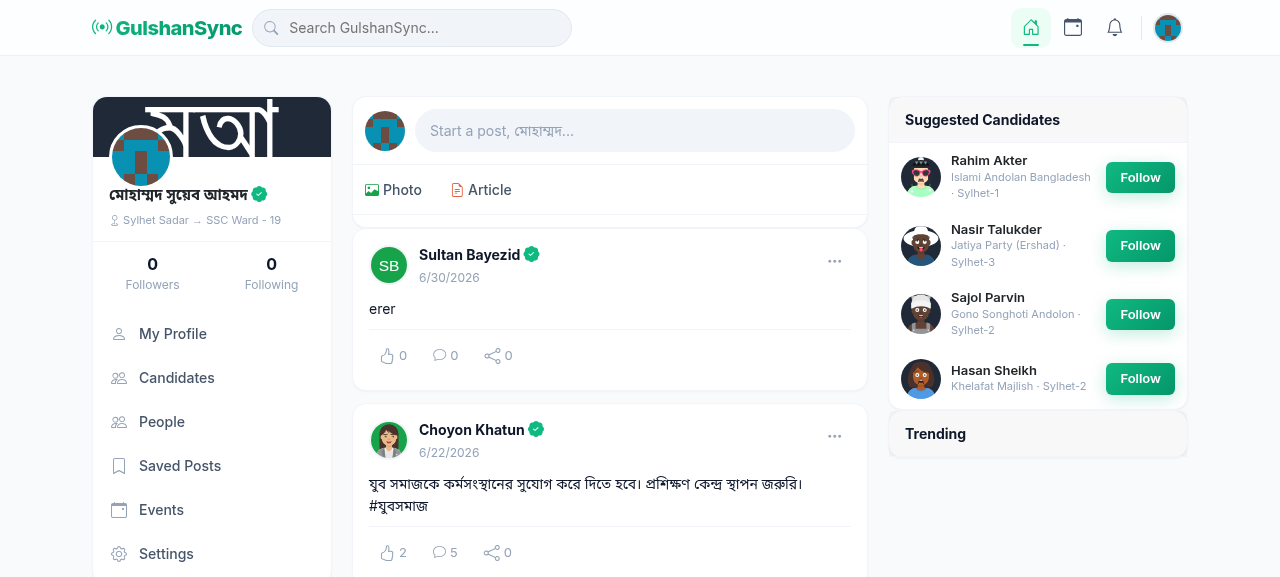
What Appears in Your Feed
Your feed shows:
- Posts from candidates you follow — most recent first
- Posts from users you follow — chronological
- Event announcements — upcoming events in your constituency
- Trending posts — posts with high engagement from across the platform
Engaging with Posts
Each post in the feed has these engagement options:
- Like — tap the heart icon to like the post
- Comment — tap the comment icon to add your comment
- Share — tap the share icon to share the post publicly
- Save — tap the bookmark icon to save the post for later
- Report — tap the three-dot menu to report inappropriate content
Following Candidates
To see a candidate's posts in your feed, you need to follow them:
- Go to Candidates in the navigation.
- Browse the list of verified candidates.
- Click a candidate's name to view their profile.
- Click Follow.
- Their posts will now appear in your feed.
Be respectful
Connect is a civic platform. Be respectful in your comments and posts. Hate speech, harassment, and spam will be removed and may result in account suspension.