Opening the Login Page
Go to https://connect.gulshansync.com/login or click Login on the homepage.
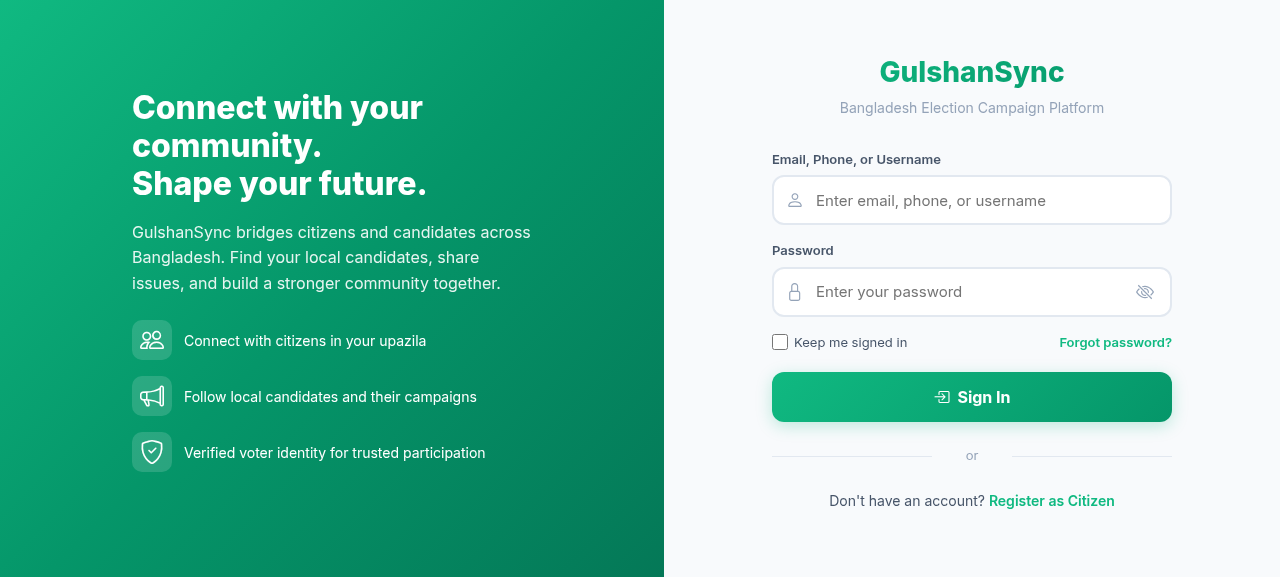
Login Form Fields
| Field | Description | Example |
|---|---|---|
| Email, Phone, or Username | Any of your registered identifiers | rahim@example.com or 019XXXXXXXX or rahim_uddin |
| Password | Your account password | •••••••••• |
| Remember Me | Stay logged in on this device | Tick on trusted devices |
Step-by-Step Login
- Go to
https://connect.gulshansync.com/login. - Enter your email, phone, or username in the first field.
- Enter your password.
- Optionally tick Remember Me.
- Click Sign In.
- You will be redirected to the feed.
Forgot Password?
If you forget your password:
- Go to
https://connect.gulshansync.com/login. - Click Forgot Password? below the login form.
- Enter your registered email address.
- Click Send Reset Link.
- Check your email for a password reset link.
- Click the link and enter a new password.
- Log in with your new password.